
PDFVertex vs Adobe Acrobat online
Adobe made the PDF format, and its online tools are a free entry to Acrobat. PDFVertex is an independent set of browser tools. The question is whether you need Acrobat's depth or just want the job done.
Short answer
Choose PDFVertex for fast file jobs that do not need an account. Choose Acrobat when you edit the text of PDFs, build forms, need full e-signature handling or your company already uses Adobe.
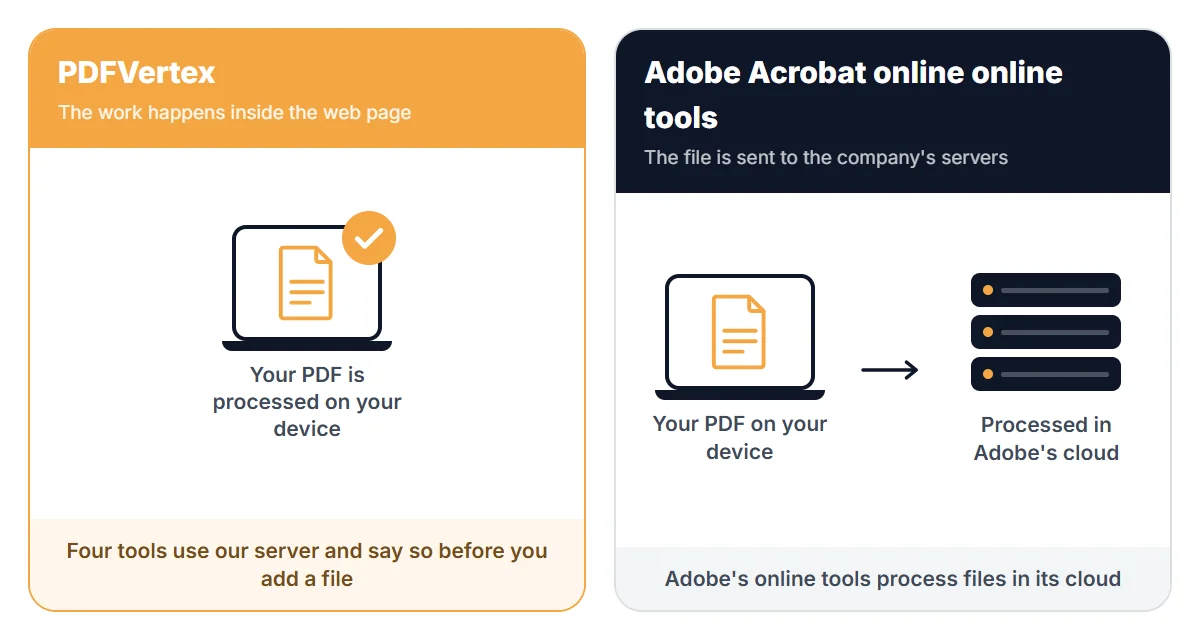
Where your file goes
Side by side
| PDFVertex | Adobe Acrobat online | |
|---|---|---|
| Where files are processed | In your browser, for every tool. Your file is not uploaded. | Adobe's online tools process files in Adobe's cloud. |
| Free usage | Free to use. Each tool page shows its own file size limit before you add a file. | Adobe's pages describe free online tools. Its help pages describe limits on free use and sign-in for some actions, and they differ by page. Check the current terms. |
| Editing text inside a PDF | Not available. Tools cover pages, stamps, watermarks, signatures and metadata. | Available in Acrobat. |
| Forms and fillable fields | Flatten PDF turns fields into plain content. It does not build forms. | Full form creation and filling in Acrobat. |
| Compress to a set size | Pages for 50 KB, 100 KB, 200 KB, 300 KB, 500 KB, 1 MB and 2 MB. | Adobe also has pages for compressing to specific sizes. |
| Cost for full features | Tools on this site are free to use. | Acrobat is a paid subscription. |
Last checked November 2026. Limits, prices and policies change, so confirm the details that matter to you on the official pages listed at the end.
Where Adobe Acrobat online is stronger
- Editing text and images inside a PDF.
- Form building, advanced signing and review features.
- Official software from the company behind the format.
Where PDFVertex is stronger
- Files stay on your device for nearly every tool.
- No account or subscription for everyday page and file jobs.
- Smaller, faster pages for one task at a time.
Which one should you pick?
Pick PDFVertex if
You need to merge, split, compress, protect or convert images and want to be done in under a minute.
Pick Adobe Acrobat online if
You edit PDF text, build forms or work in a company that standardises on Adobe.
Questions
Can PDFVertex edit text in a PDF?
No. It works on pages, stamps, watermarks, signatures, security and file properties. Text editing needs software such as Acrobat.
Are PDFs made with PDFVertex compatible with Acrobat?
Yes. The output is standard PDF and opens in Acrobat and other readers.
Does Adobe's free tool need an account?
Adobe's pages say some tools work without sign-in. Its help pages describe limits for free use. Check Adobe's current terms for the tool you need.