
PDFVertex vs Sejda
Sejda offers web tools and a desktop app. Its web tools have free limits and paid passes. PDFVertex runs in the browser without a counter. Here is how they differ.
Short answer
Choose PDFVertex for quick jobs in the browser. Choose Sejda when you need its text editing or want its desktop app, which processes files on your computer.
Where your file goes
Side by side
| PDFVertex | Sejda | |
|---|---|---|
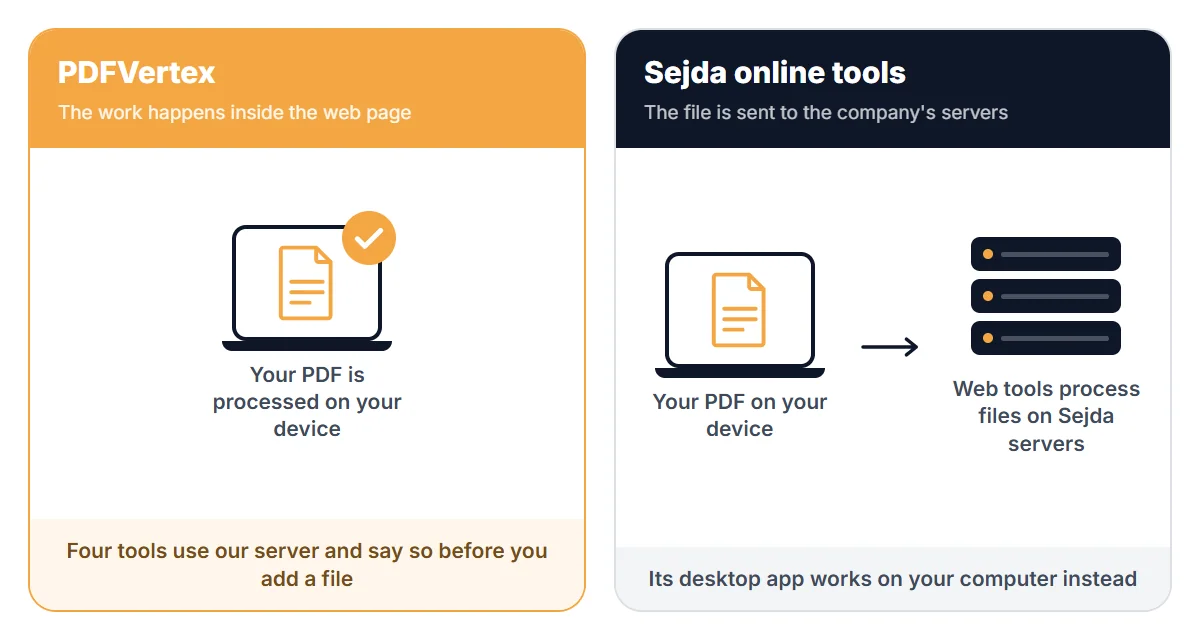
| Where files are processed | In your browser, for every tool. Your file is not uploaded. | Web tools process files on Sejda servers. Its desktop app processes files on your computer without uploading them. |
| Free usage | Free to use. Each tool page shows its own file size limit before you add a file. | The free web plan has page and hourly limits. Paid web passes and desktop plans remove them. |
| Editing text inside a PDF | Not available. | Offered. |
| Desktop app | No. Works in a browser. | Yes. |
| Compress to a set size | Pages for 50 KB, 100 KB, 200 KB, 300 KB, 500 KB, 1 MB and 2 MB. | Compression levels to choose from. |
Last checked November 2026. Limits, prices and policies change, so confirm the details that matter to you on the official pages listed at the end.
Where Sejda is stronger
- Text editing and a broader editor.
- A desktop app for fully offline work.
Where PDFVertex is stronger
- No hourly or page limits to plan around.
- Browser-side processing without installing anything.
Which one should you pick?
Pick PDFVertex if
You want small jobs done now without a counter, an install or an account.
Pick Sejda if
You edit PDF text often, or you want an installed app that works offline.
Questions
Is there a catch to PDFVertex having no limit counter?
Each tool has a maximum file size, shown on its page. Work happens on your device, so very large files depend on your computer.
Does Sejda upload my files?
The web tools do, as any web service does. Sejda says its desktop app processes documents on your computer without uploading them.