
How to Convert a Text File to PDF
Turn a TXT, Markdown, CSV or log file into a PDF, or type text and save it as a PDF. Word wrap and pages are handled for you.
A plain text file is easy to write but awkward to share. A PDF looks the same on every device. If you have notes, a log or a README, a PDF copy is one click away.
Steps
- Open Text to PDF.
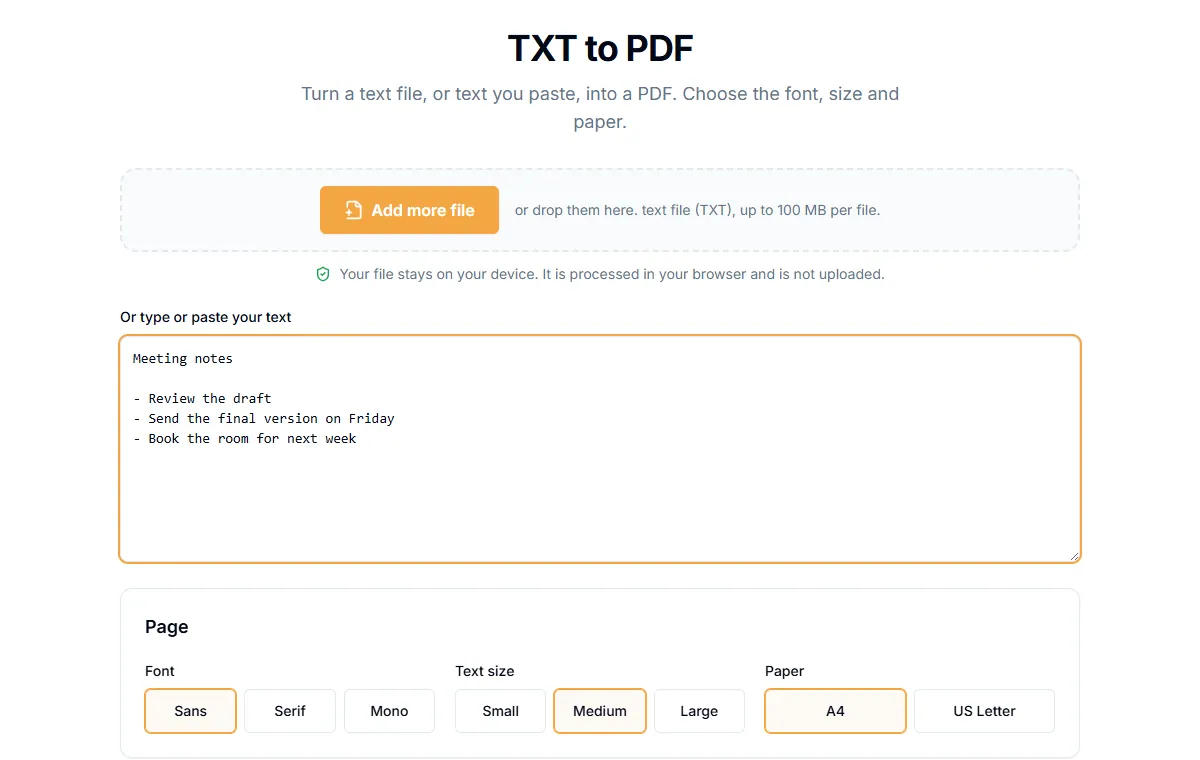
- Drop a text file in the box, or type or paste text into the text area.
- Select "Create PDF".
- Download the PDF.
The file types accepted are .txt, .md, .csv and .log. When you add a file, its text is loaded into the box so you can edit it before converting. It runs in your browser, so the text is not uploaded.
What the tool does for you
- Word wrap. Long lines are wrapped to fit the page.
- Page breaks. When the text reaches the end of the page, a new page is added.
- Blank lines are kept, so your paragraphs stay apart.
Limits to know
- Latin text only. The built-in fonts handle English and other Latin-script text. Characters outside that set, such as Chinese, Arabic or emoji, cannot be drawn. They are left out, and the result page tells you how many were skipped. In our test, two such characters were reported and the rest of the text was kept.
- Plain text only. Markdown is not formatted. Headings show as
#marks and bold shows as**. If you want formatted output from Markdown, convert it to a document first. - No fonts to choose. The output uses one clean text style.
CSV files
A CSV becomes lines of comma-separated text, not a table. For a table, open the CSV in a spreadsheet and export that as PDF.
Other ways to make a PDF
- From photos or scans: see how to convert images to PDF.
- To go the other way and get the text out of a PDF: see how to extract text from a PDF.
Related guides
Try Our Free PDF Tools
Put what you learned into practice with our free online PDF tools.
Explore ToolsRelated Articles
How to Convert WebP, GIF, BMP, SVG, TIFF and JFIF Images to PDF
Turn any common image format into a PDF in your browser. Page size, orientation and margin options, plus what happens with animated or multi-page images.
How to Extract Text from a PDF as a TXT File
Copy all the text out of a PDF into a plain text file. How it works for normal PDFs, what to do with scans, and tips for clean results.
How to OCR a Scanned PDF and Make It Searchable
Turn a scanned PDF into one you can search and copy from. Pick the language, choose a searchable PDF or plain text, and learn how to get the best accuracy.