
How to Redact a PDF So the Text Is Really Gone
Black boxes drawn over text can be removed. Learn how to redact a PDF properly so names, numbers and addresses cannot be copied out.
Redaction means removing sensitive information before you share a document: names, account numbers, addresses, signatures. Doing it wrong is common and has leaked real documents.
The mistake to avoid
Drawing a black rectangle over text, or highlighting it in black, does not remove the text. The words are still in the file under the box. Anyone can select, copy or search them, or delete the rectangle. Real redaction must remove the content itself.
How PDFVertex redacts
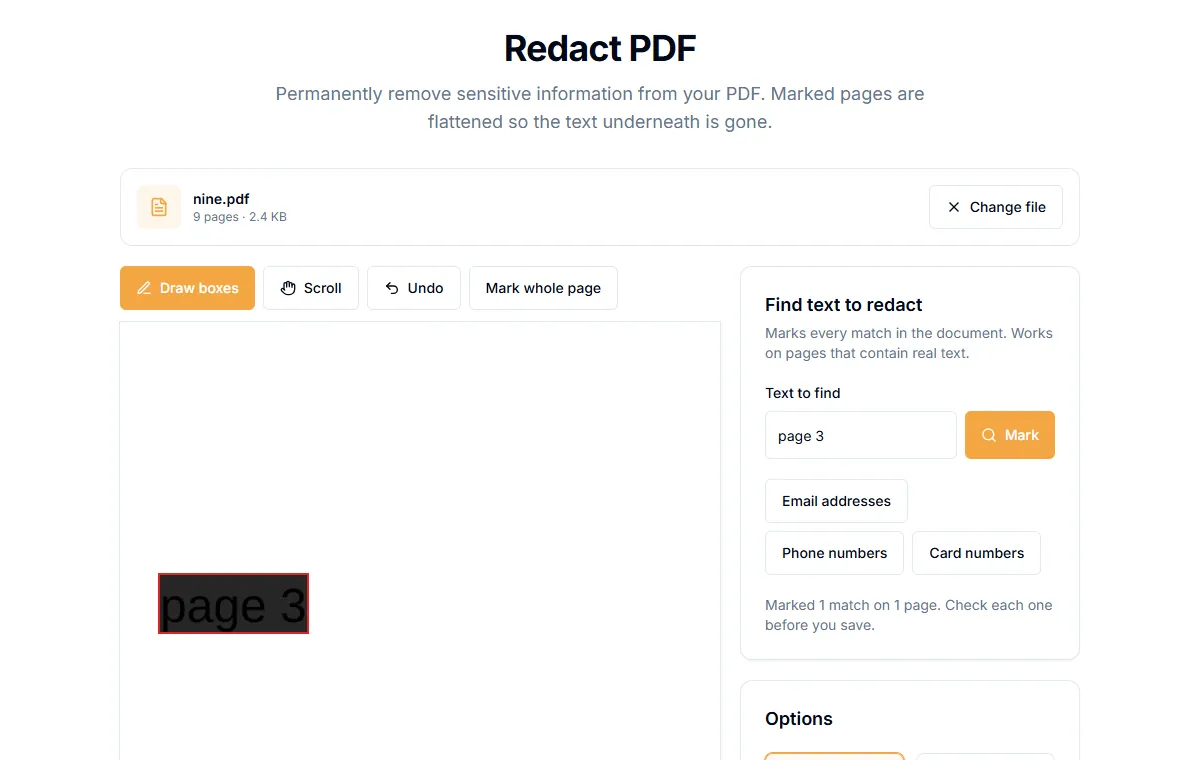
The Redact PDF tool marks the areas you choose, then flattens the marked pages. Flattening turns each marked page into a picture, so the text underneath no longer exists in the file. It runs in your browser, so the original is not uploaded.
Steps
- Open Redact PDF and add your file.
- Mark what to hide. You have three ways:
- Under "Find text to redact", type words in "Text to find" and select "Mark". Every match in the document is marked. This works on pages that contain real text.
- Use the buttons under it to mark "Email addresses", "Phone numbers" or "Card numbers" in one go.
- Drag with the mouse or your finger on the page preview to draw a box over anything else, such as a signature or a photo.
- Check the page previews. Use "Previous page" and "Next page" to look through the document. The "Marked areas" list shows what will be covered.
- Choose a "Box colour".
- Select the redact button, which names the number of pages it will redact, and download the file.
Check your work
After redacting, test the result:
- Open the new file.
- Try to select the text under a box with your mouse.
- Use the reader's search for a word you redacted.
Neither should find anything. If they do, the area was not covered. Redact again with a larger box.
Things that still need checking
- Pages you did not mark keep their text. Only marked pages are flattened.
- Metadata such as author name is separate from the pages. Clear it with Edit PDF Metadata.
- File name. Do not put the redacted word in the name.
- Scans. A scanned page is already a picture. Draw boxes over what to hide, since there is no text to find.
Redacted pages can no longer be searched
Because marked pages become pictures, the text on them is not selectable. That is the price of true removal. Keep the original in a safe place if you need the full version.
Related guides
Try Our Free PDF Tools
Put what you learned into practice with our free online PDF tools.
Explore ToolsRelated Articles
Are Online PDF Tools Safe? What Happens to Your Files
How online PDF tools handle your documents, the difference between upload-based and browser-based tools, and how to check before you trust one.
How to Password Protect a PDF
Add a password to a PDF with AES-256 encryption. Choose whether people can print, copy or edit it. The file never leaves your device.
How to Remove a Password from a PDF You Own
Take the password off a PDF when you know it, so it opens without prompts. What this can and cannot do, and what to try if you forgot the password.