
How to Remove a Password from a PDF You Own
Take the password off a PDF when you know it, so it opens without prompts. What this can and cannot do, and what to try if you forgot the password.
A password on a PDF is useful when the file travels. Once it sits in your own archive, typing the password every time gets tiresome. If you know the password, you can save a copy without it.
Steps
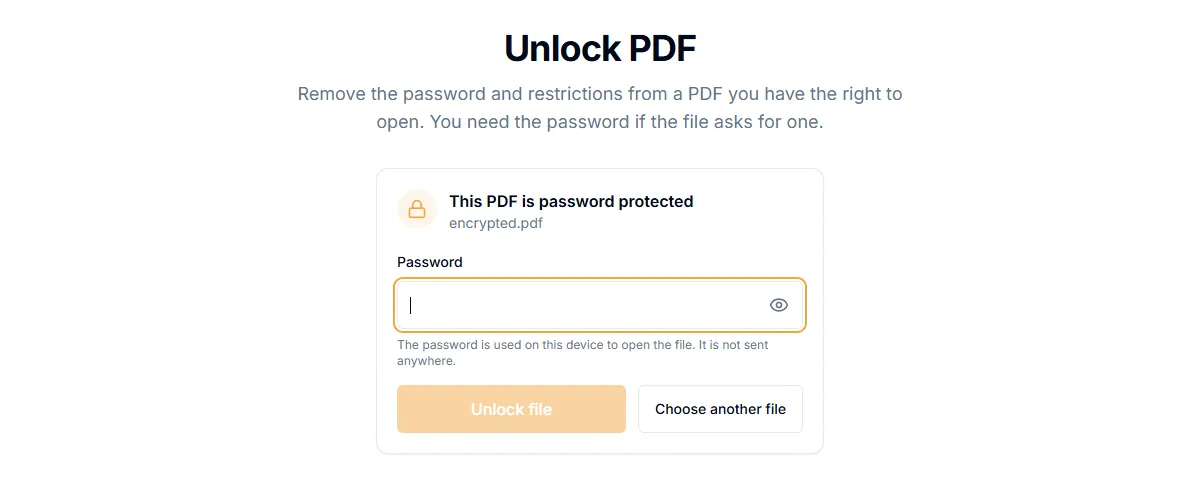
- Open Unlock PDF. Remove Password is the same tool.
- Add the protected PDF.
- Type the password when the tool asks for it.
- Select "Remove password" and download the new file.
The new file opens without a password. Your original stays as it was. The work is done in your browser, so the file and the password are not sent anywhere.
Which kind of password do you have?
PDFs can have two kinds of protection:
- An open password. You must type it to see the file at all. You need to know it to remove it.
- A permissions password. The file opens freely but printing, copying or editing is blocked. This kind can often be removed without typing anything.
What this tool does not do
It does not guess or crack passwords. If you do not know the password to open a file, the tool will say the password is wrong and stop. That is on purpose. Removing protection from a file you have no right to open is not something we help with.
If you forgot the password
- Check where you saved it: a password manager, the email that came with the file, or a note you made when you set it.
- Ask the person or company that sent the file. They can send an unprotected copy.
- If you made the file yourself and have the original unprotected version, use that.
Remove the password, then do more
Many tools cannot work on a protected file. After you unlock a copy, you can merge, split, compress or repair it. Then protect the final version again if needed, as described in how to password protect a PDF.
Related guides
Try Our Free PDF Tools
Put what you learned into practice with our free online PDF tools.
Explore ToolsRelated Articles
Are Online PDF Tools Safe? What Happens to Your Files
How online PDF tools handle your documents, the difference between upload-based and browser-based tools, and how to check before you trust one.
How to Password Protect a PDF
Add a password to a PDF with AES-256 encryption. Choose whether people can print, copy or edit it. The file never leaves your device.
How to Redact a PDF So the Text Is Really Gone
Black boxes drawn over text can be removed. Learn how to redact a PDF properly so names, numbers and addresses cannot be copied out.