
How to Reverse the Page Order of a PDF
Flip a PDF so the last page comes first. Useful for scans made back to front and for printing stacks in the right order.
Sometimes a PDF is simply in the wrong order. A scanner fed the stack upside down, or a document was exported newest first. Reversing the order fixes it in one step.
Steps
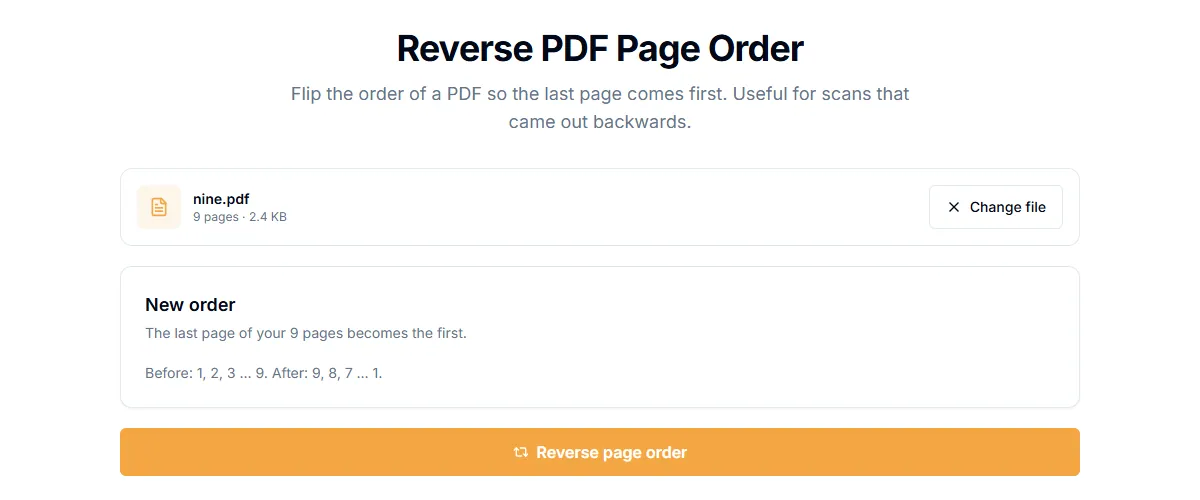
- Open Reverse PDF Pages.
- Add your PDF.
- Select "Reverse page order".
- Download the result.
A 9-page PDF with pages numbered 1 to 9 comes out with page 9 first and page 1 last. The pages themselves are not changed, only their order. It runs in your browser, so the file is not uploaded.
When to use it
- A scan in the wrong order. You scanned a stack from the bottom up.
- Newest first exports. Chat logs and statements often list the newest entries first.
- Printing. Some printers output pages face up, so the stack needs to be reversed.
When you need a different order
Reversing is for flipping the whole file. If you only need to move a few pages, use Reorder Pages and drag thumbnails into place. If you need to remove a few pages, use Delete Pages.
Two sided scans in the wrong order
A common case: you scanned the fronts of a stack, then flipped it and scanned the backs, so the backs come in reverse. To fix it:
- Split the PDF in half with Split PDF in half. Part one has the fronts, part two the backs.
- Reverse part two with this tool.
- Combine the two parts with Merge PDF and reorder the pages in a front, back, front, back pattern with Reorder Pages.
Related guides
Try Our Free PDF Tools
Put what you learned into practice with our free online PDF tools.
Explore ToolsRelated Articles
How to Add a Header and Footer to a PDF
Put a title, date, confidential label or page count in the top or bottom margin of every page of a PDF. Six positions, no upload.
How to Add Page Numbers to a PDF
Add page numbers to a PDF online: pick a format and position, start from any number and skip the cover page. No upload needed.
How to Edit PDF Metadata: Title, Author and Keywords
Change or remove the title, author, subject and keywords stored inside a PDF. Why it matters for privacy and for how your file looks in search and tabs.